What Is Dashboard Pinning?
To Pin a dashboard is to mark it as a favorite so that it always shows up in an easy to find place. If you have a lot of dashboards you can ensure the ones you access most frequently are always at the top of the list.
Pin A Dashboard
Step 1: View Dashboards
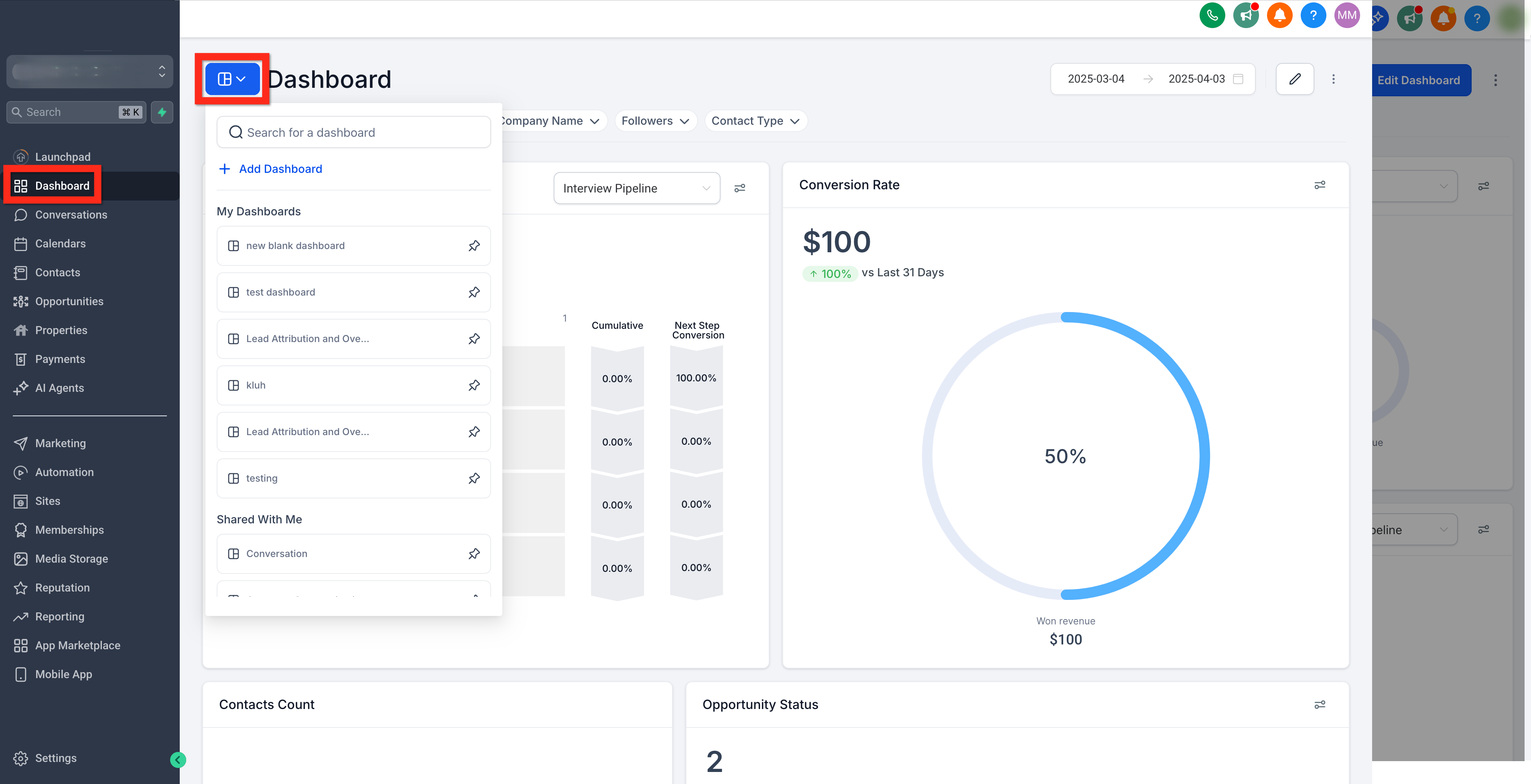
Navigate to Account > Dashboard and click on the dashboard selection menu.
Step 2: Find The Dashboard
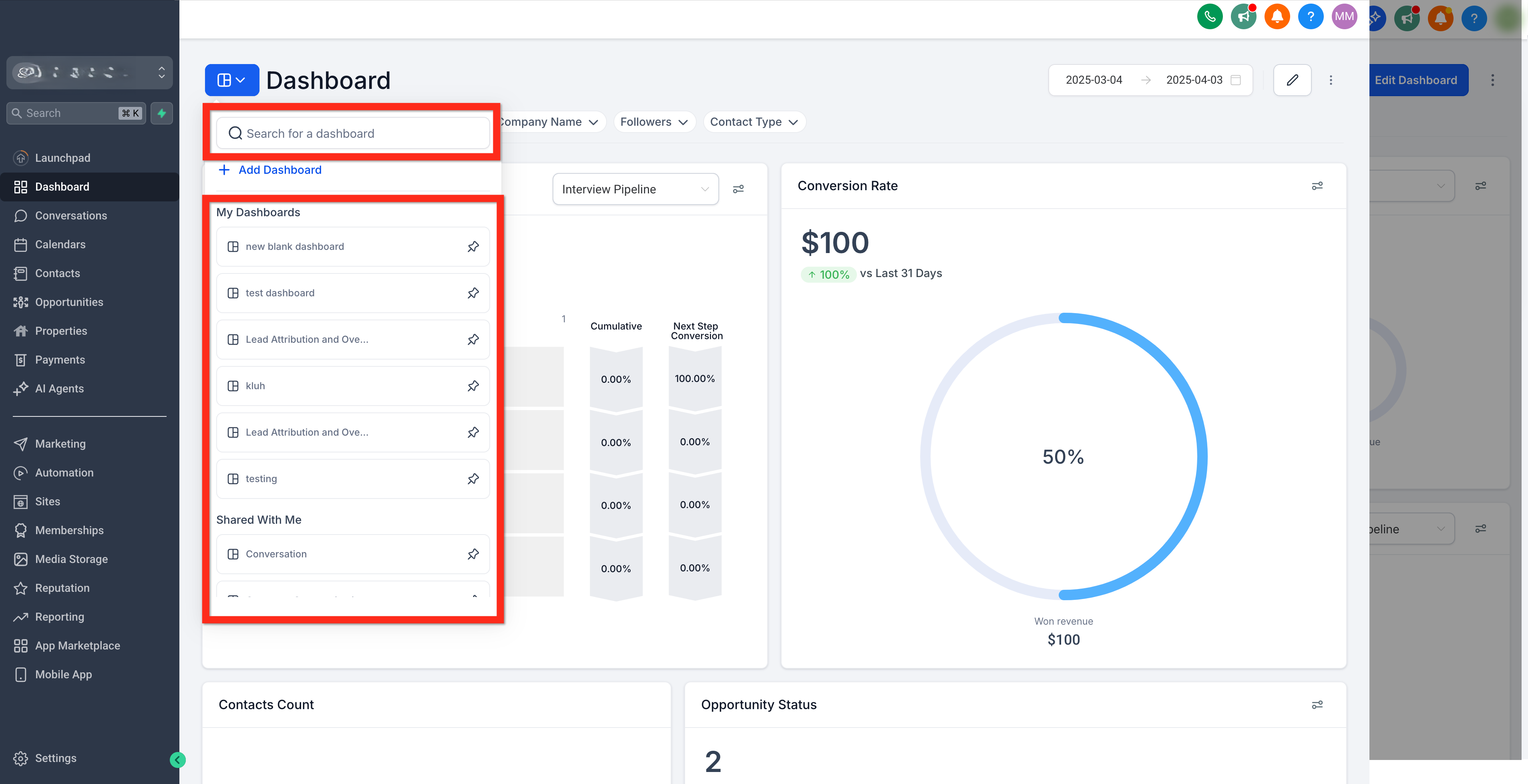
Use the dashboard selection menu to find the dashboard you want to pin. Search or scroll until the dashboard is visible in the list.
Step 3: Pin The Dashboard(s)
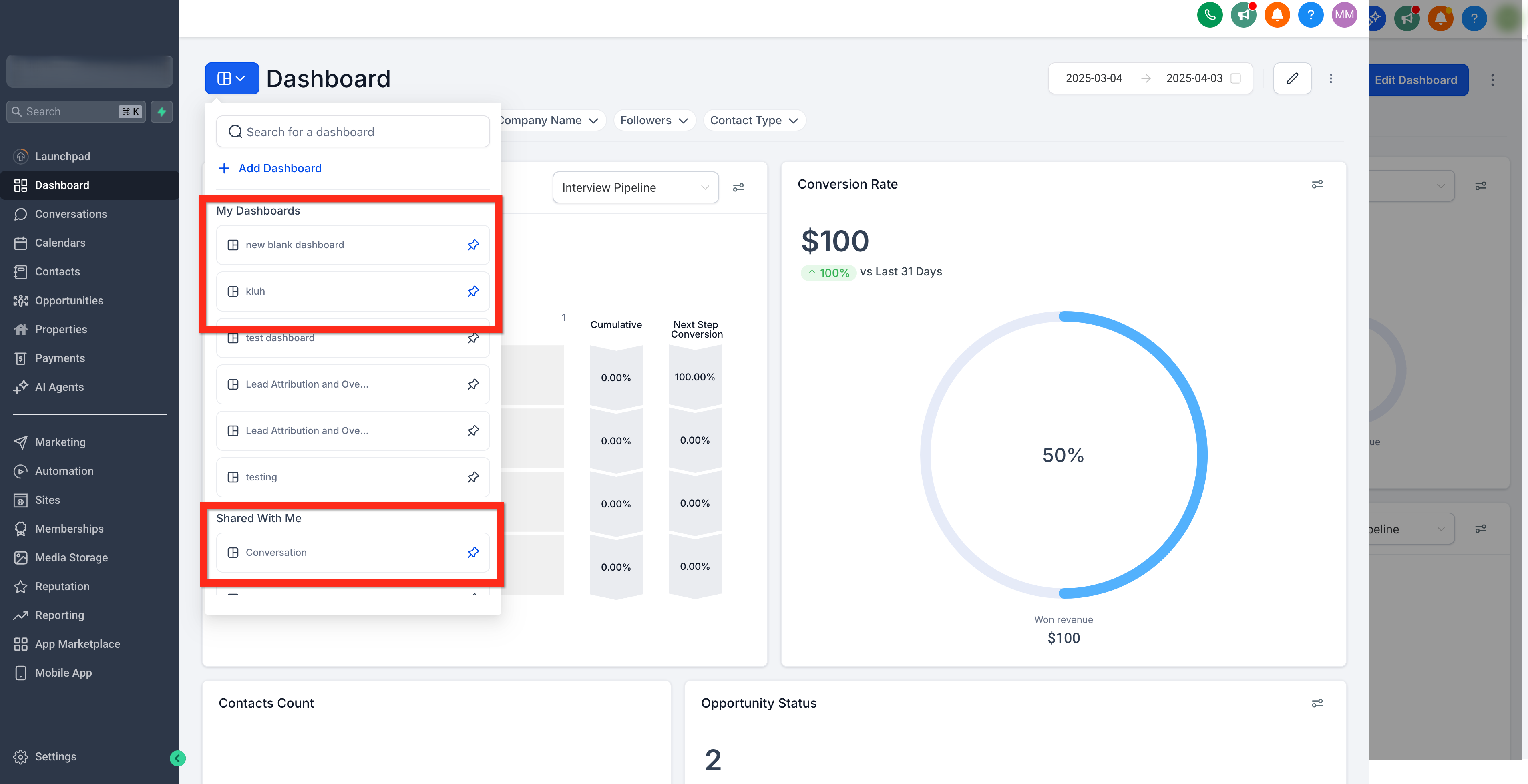
Click the little pushpin button to change it from grey to blue. This will move the dashboard so that it is always at the top of the list it belongs to. You can pin more than one dashboard to the top of the list.
Was this article helpful?
That’s Great!
Thank you for your feedback
Sorry! We couldn't be helpful
Thank you for your feedback
Feedback sent
We appreciate your effort and will try to fix the article