What's New?
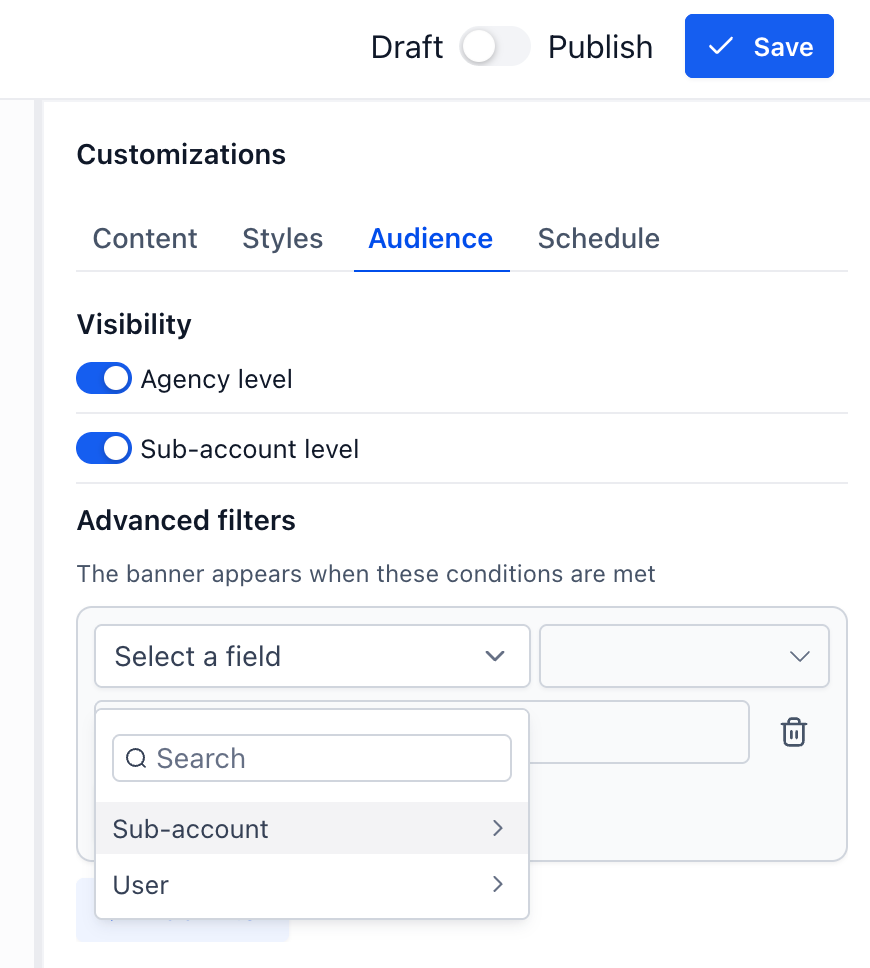
- You can now target Announcement banners to specific accounts and users, instead of only broadcasting to your entire account
- Build multi-condition rules — combine conditions like account, country, timezone, or user role, with AND/OR logic
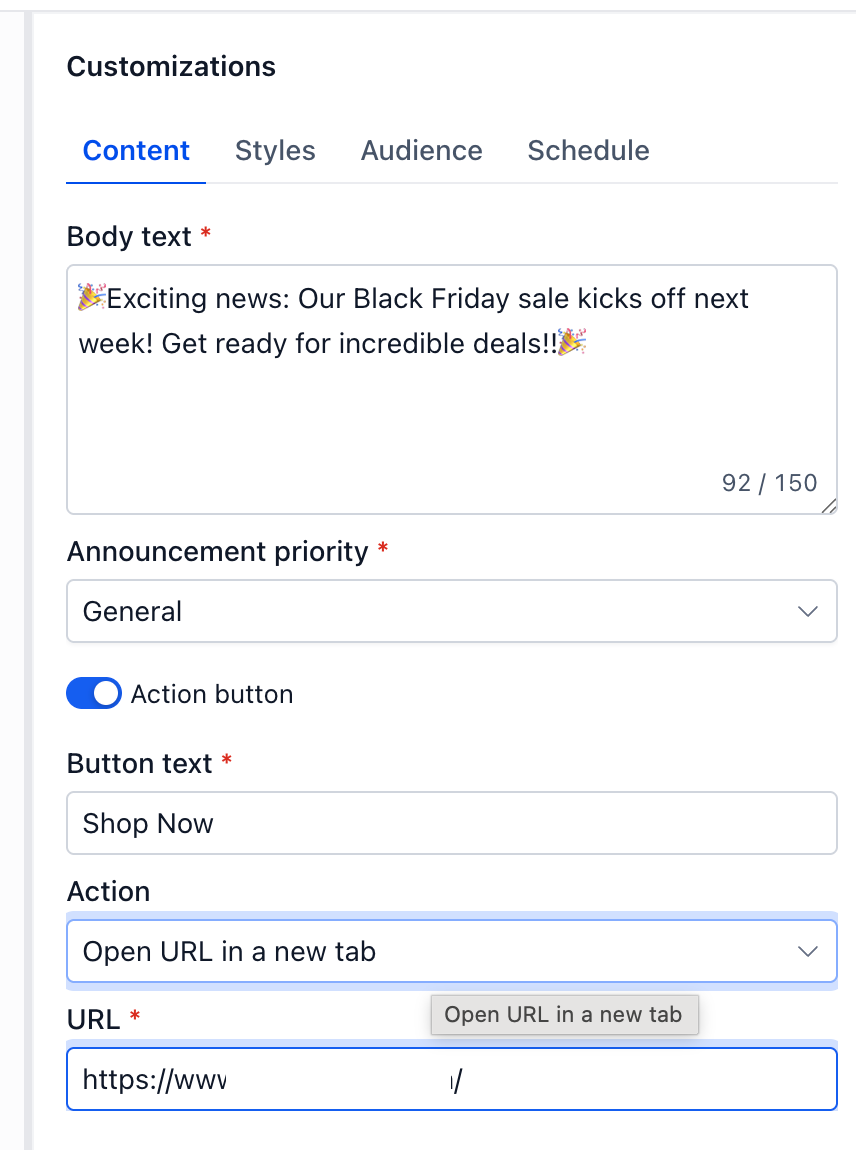
- CTA buttons can now open links in a new tab, so you can safely link out to external promotions or landing pages
How It Works:
- Open your Announcement, go to the Audience tab
- Set account-level and account-level visibility
- Under Advanced filters, choose a field (e.g. Account, Country, User Role), an operator, and a value
- Add more conditions to refine further — conditions in the same group must all match (AND); add a new group for alternate match paths (OR)
Why It Matters:
Reach the right audience
— stop showing every banner to every user; target only the accounts or users a message is relevant to
Run smarter campaigns
— combine multiple conditions to support promotions, onboarding nudges, or role-specific alerts
Link out safely
— CTAs can now open in a new tab, so customers keep their place in your app while checking out a linked offer
Notes:
- Available to all accounts
- Account and user targeting is available now;
Setting target
URL in new tab
Was this article helpful?
That’s Great!
Thank you for your feedback
Sorry! We couldn't be helpful
Thank you for your feedback
Feedback sent
We appreciate your effort and will try to fix the article