What’s New?
We’re introducing
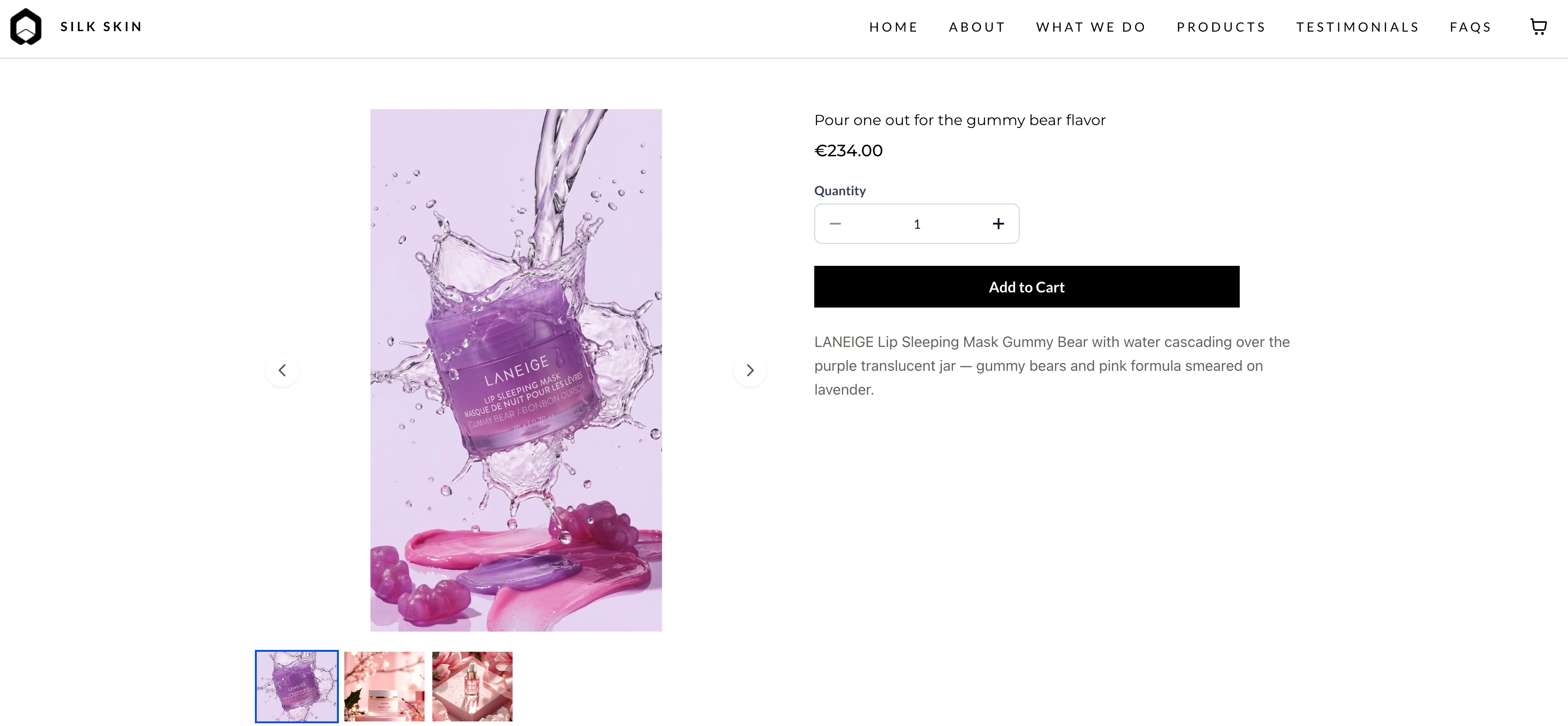
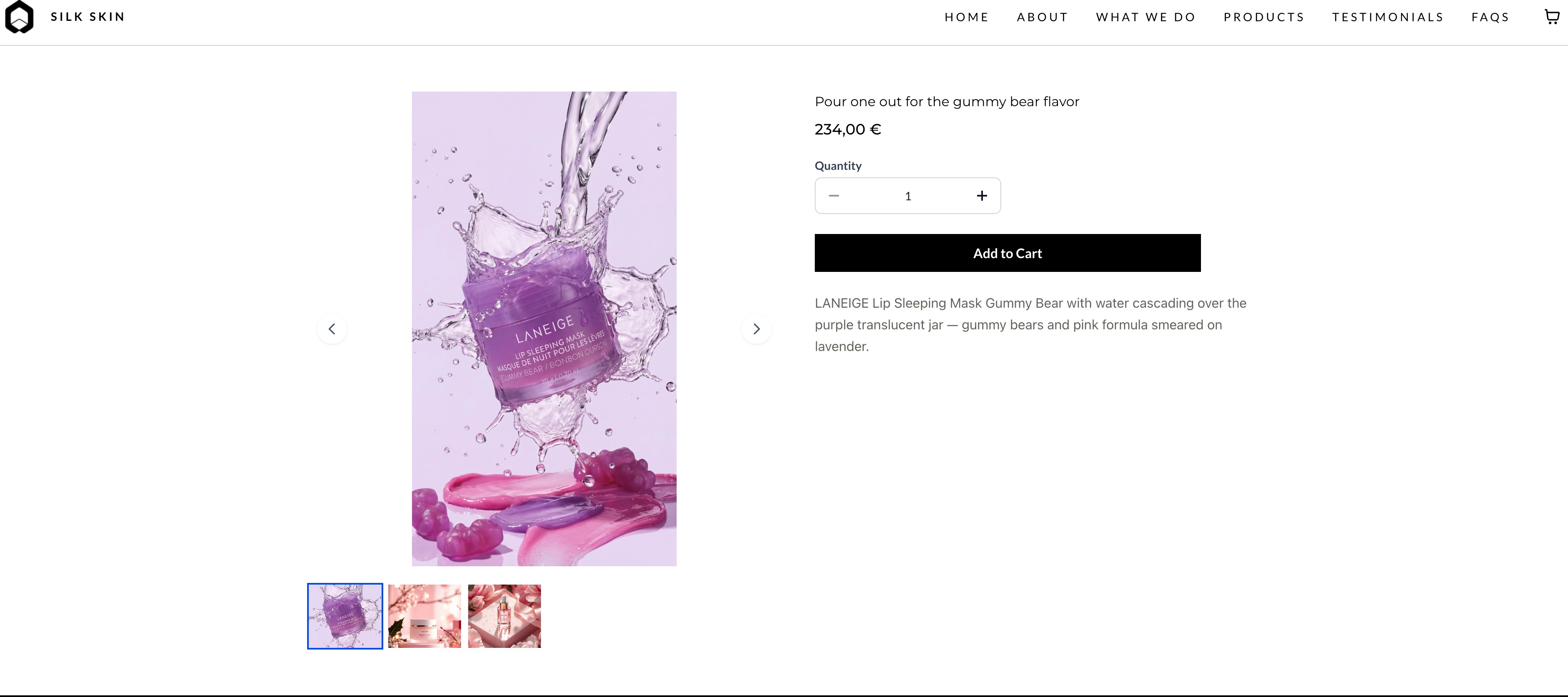
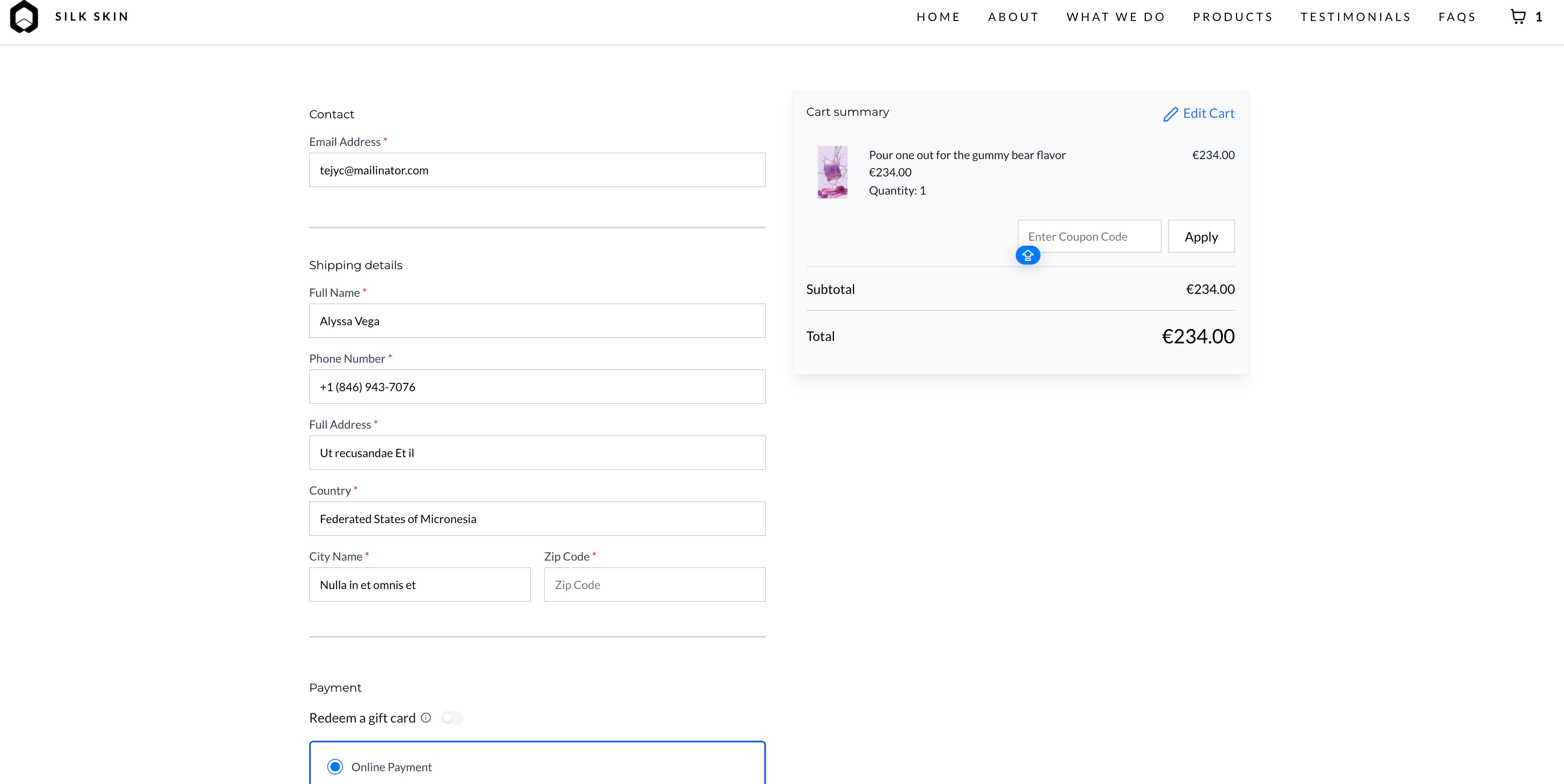
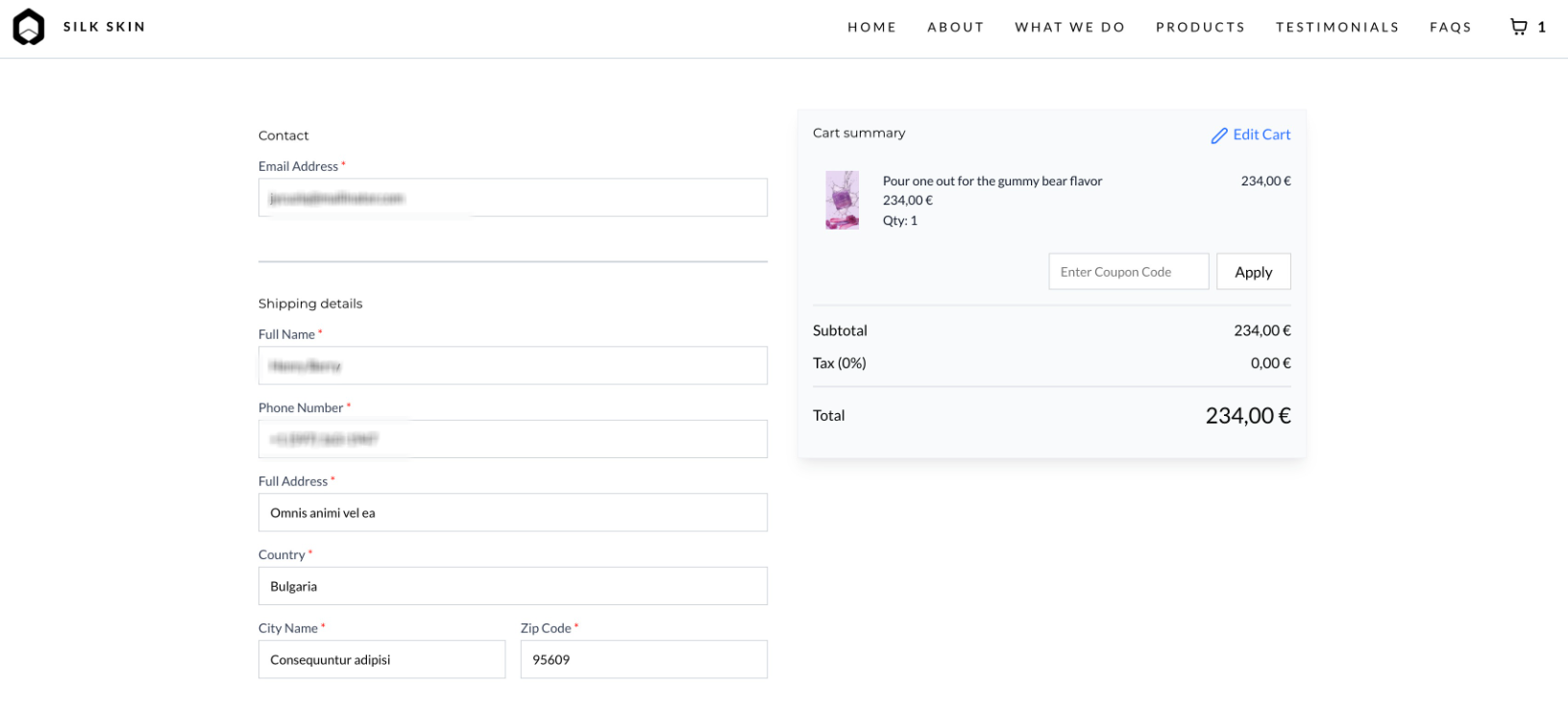
Locale-Based Currency Formatting
to make your store prices more readable and regionally accurate. Prices will now automatically display in formats like $1,000.00
or €1.000,00
instead of plain numbers.Key highlights:
- Enable via Toggle:Turn on “Locale-Based Currency Formatting” in Store Settings.
- Smart Locale Detection:Based on page language + visitor’s location (e.g., en-US, hi-IN).
- Applies Everywhere:Works across PLP, PDP, Cart, Checkout, and all store elements.
- Auto Formatting Rules:Handles separators, decimals, and currency symbol placement automatically.
How to Use It?
- Go to Store Settingsin your Ecommerce Store.
- Enable the toggle “Locale-Based Currency Formatting.”
- Navigate to the Builder and open SEO & AI Search Optimization settings.
- Set your desired Page Languageunder the Language section.
- Save and publish your changes.
Key Points to Note:
- This is a formatting-only feature— it does not convert currencies based on exchange rates.
- If locale data is missing, the system defaults to en-US formatting.
- Visitor location (not store location) determines the displayed format.
- Improves store readability, trust, and global shopping experience.
Images:
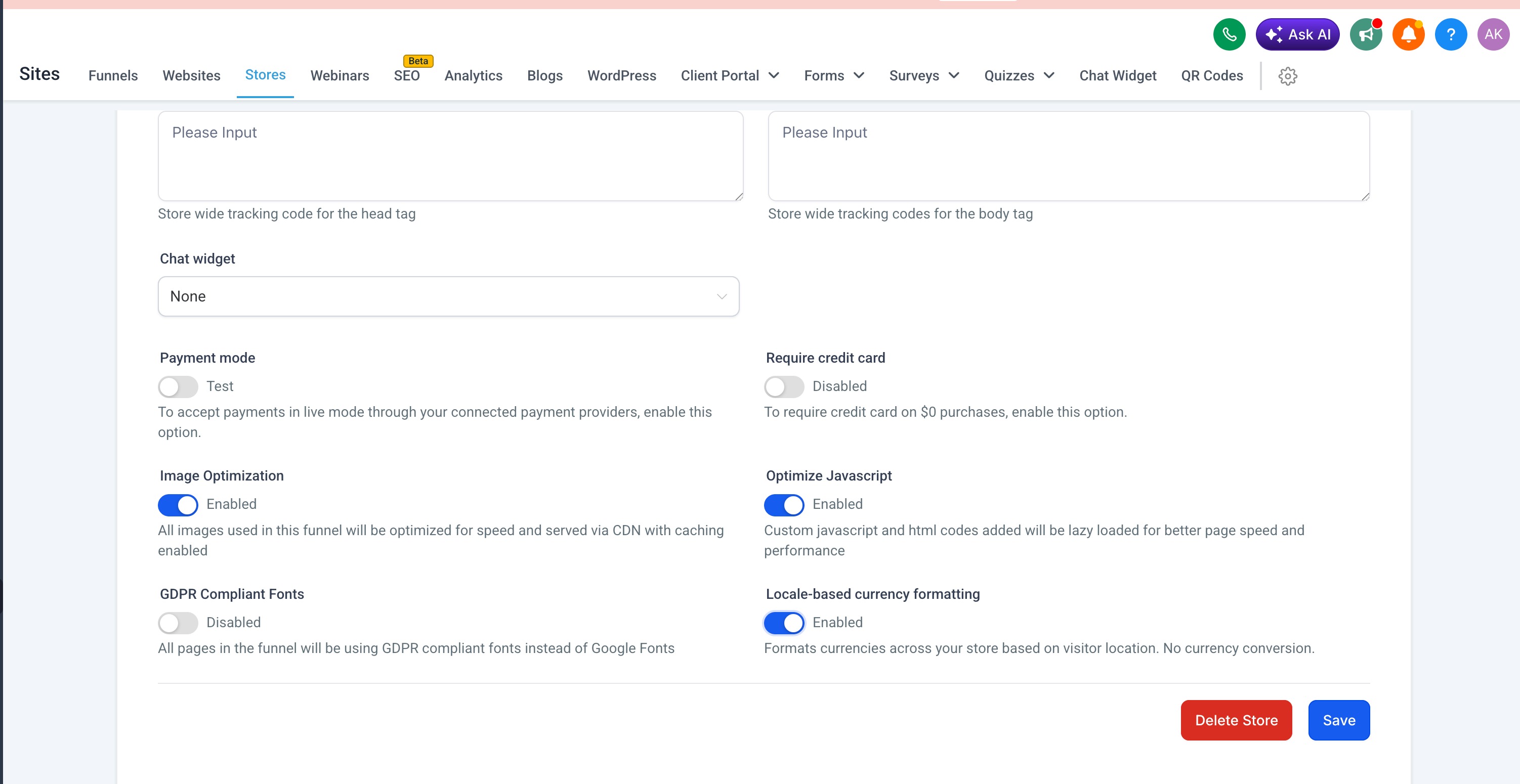

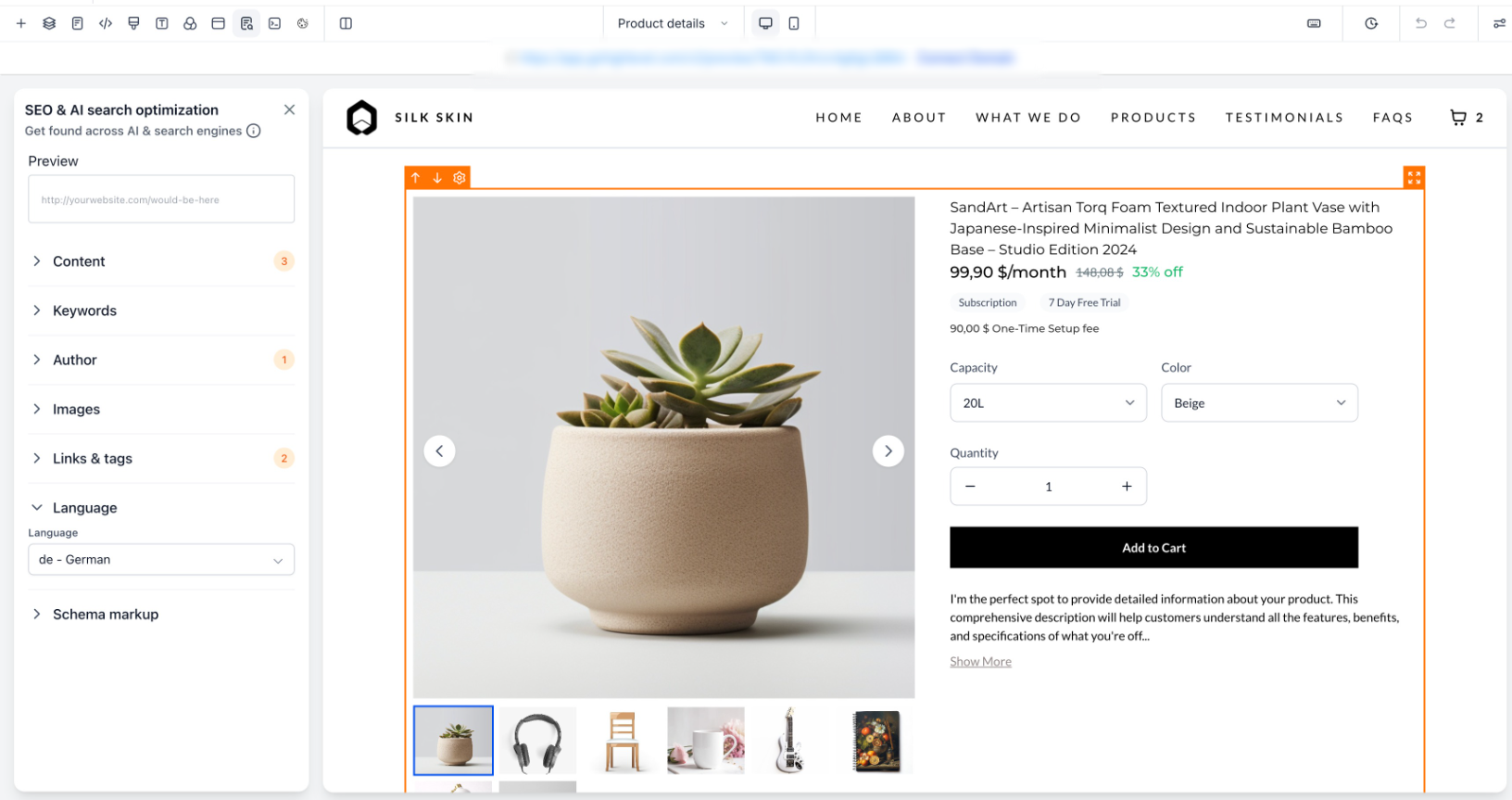
Product Detail Page Examples:
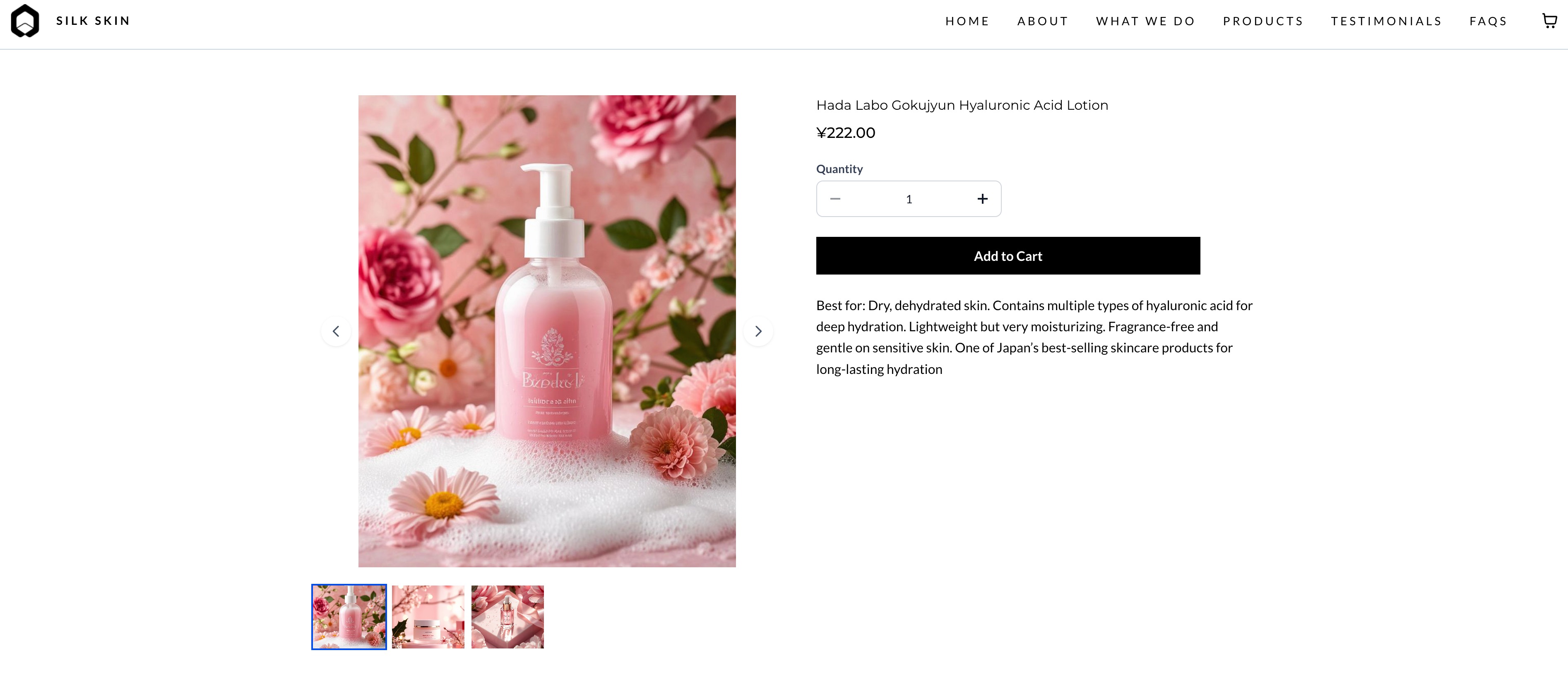
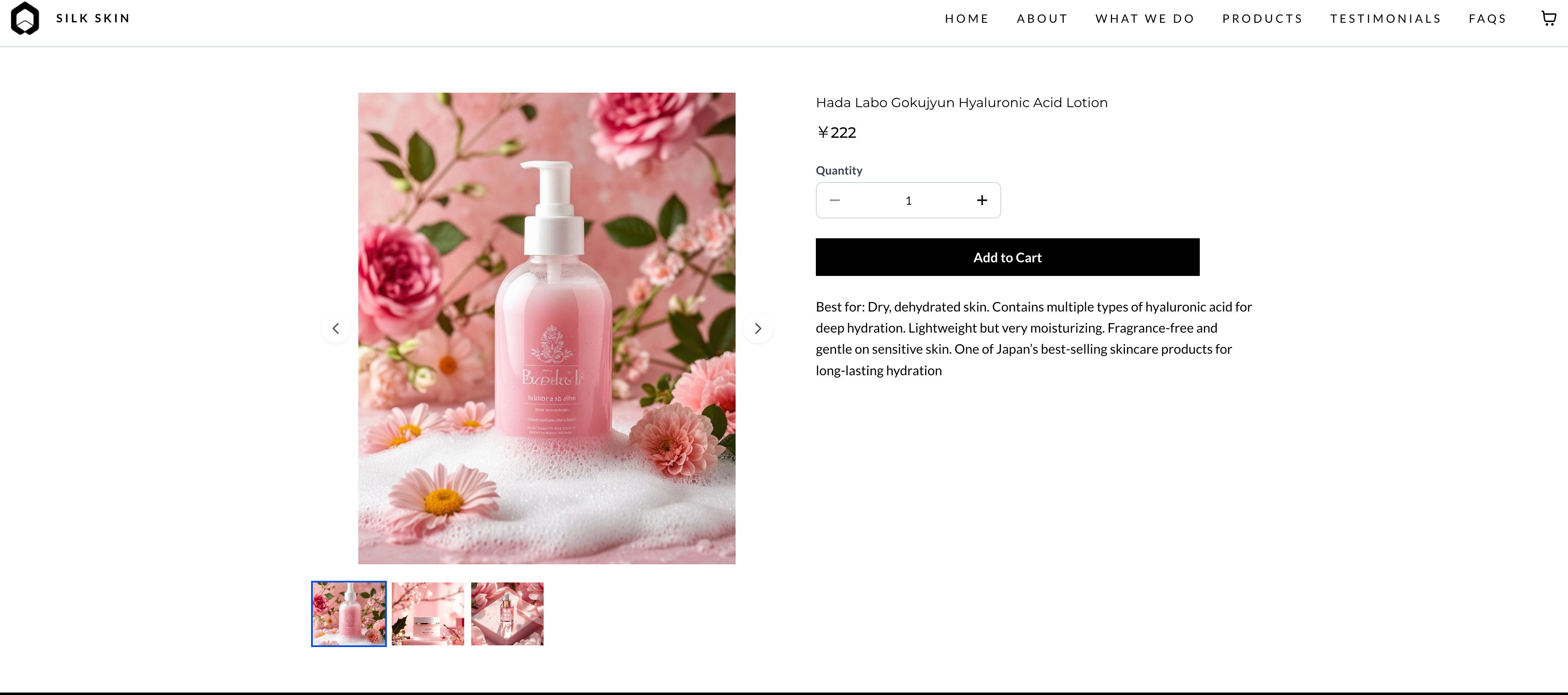
Checkout Page Example:
Was this article helpful?
That’s Great!
Thank you for your feedback
Sorry! We couldn't be helpful
Thank you for your feedback
Feedback sent
We appreciate your effort and will try to fix the article